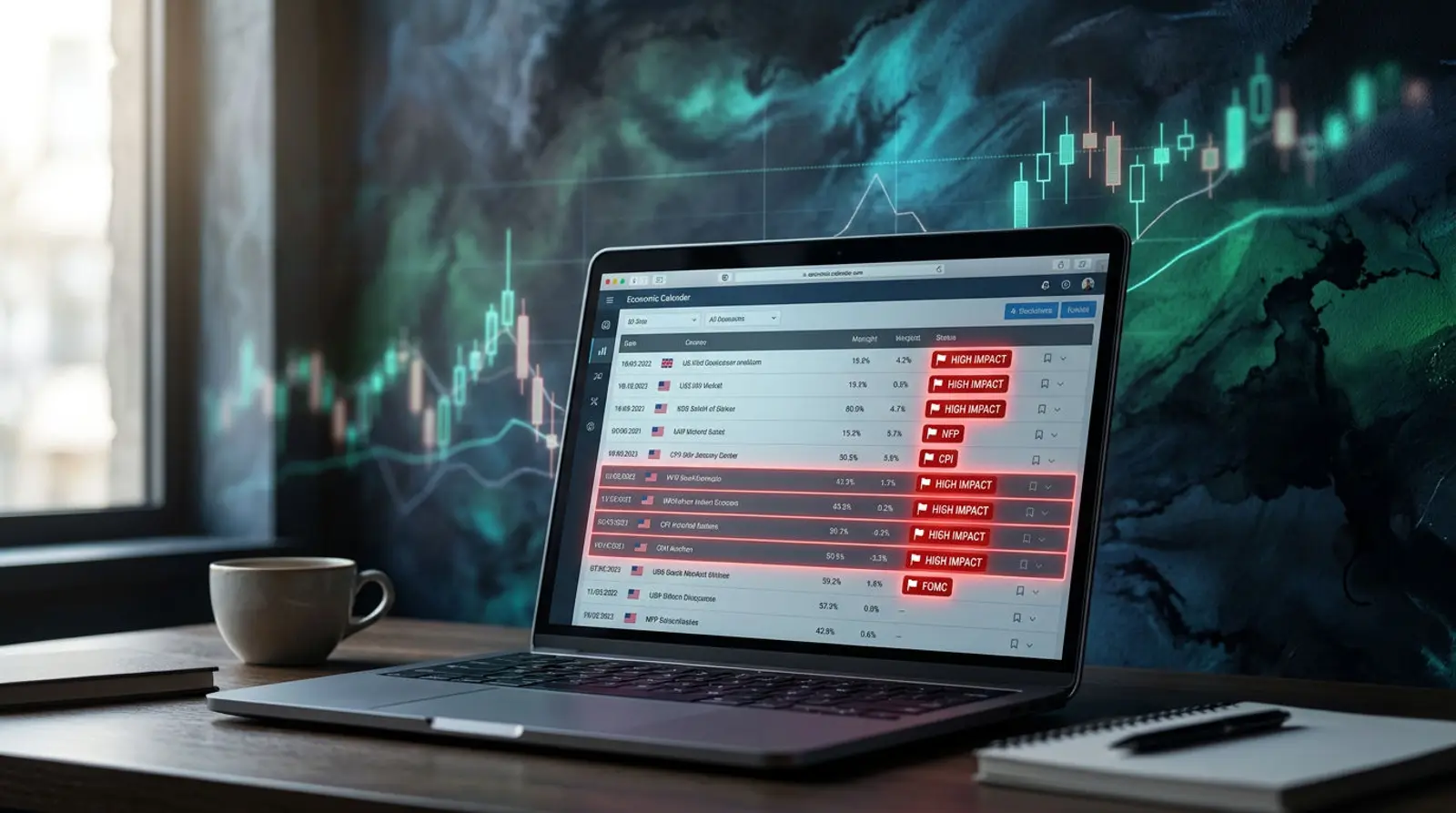
If you have traded Forex for a while, you have surely heard of Forex Factory. It is one of the economic calendar sites that traders worldwide use to see "what news is coming out today, at what time, and how big it is" so they can plan their trades and avoid volatile periods.
This article introduces what Forex Factory is and what you can do with it, then teaches you to read the calendar column by column in plain language — from the meaning of red/orange/yellow and the Actual/Forecast/Previous values to setting the calendar to your local time and the key events that tend to send currencies swinging hard.
Note: this article is for educational purposes only and is not investment advice. Forex trading carries high risk and you can lose your deposit. Always assess the risk yourself before making a decision.
What Is Forex Factory?
Forex Factory (forexfactory.com) is a popular public website among Forex traders. Its best-known feature is the "economic calendar," which collects the release schedules of major economic figures from various countries on a single page, telling you what day and time news comes out, which currency it relates to, and how much impact it is expected to have on the market.
Beyond the calendar, Forex Factory also has a large forum where traders discuss and exchange strategies, share trading systems and EAs, plus other tools like a news feed and topic-specific discussion threads. But what made the site widely known is the economic calendar.
An important thing to understand is that Forex Factory is only a "hub of information and news schedules." It is not a broker, does not take deposits or let you open trading accounts, and is not a trading signal. It is a tool that lets you know in advance which events might move the market — nothing more.
Why Traders Watch the Economic Calendar
Currency prices do not move randomly; they usually react to "economic news" that reflects the health of each country — such as employment figures, inflation, or central bank rate meetings. When the actual number differs from what the market expected, price often swings hard in a matter of seconds.
Checking the calendar in advance helps traders "be aware" of which times of day the market is likely to be highly volatile, so they can decide whether to trade the news, avoid opening orders during that window, or adjust their risk management — for example, reducing position size or moving the Stop Loss appropriately.
For EA (automated trading) users, knowing the news schedule matters even more, because some EAs are set to stop trading or close orders during high-impact news to avoid volatility and abnormally wide spreads.
How to Read the Forex Factory Calendar Column by Column
The calendar page arranges events in rows by date and time, and each row has several columns describing that event. Once you understand what each column means, you can read it much faster.
- Date / Time — the day and time the news will be released (set it to your local time first so you do not miscalculate).
- Currency — the currency the news relates to, such as USD, EUR, JPY, GBP, so you know which pairs it will affect.
- Impact — the strength level of the news, shown by color (red/orange/yellow). The redder it is, the more likely it is to make the market volatile.
- Actual — the real figure released, which appears once the news is out.
- Forecast — the figure analysts predicted in advance, used as a benchmark against the Actual.
- Previous — the figure from the prior round, used to see whether things are improving or worsening.
News Colors: What Do Red / Orange / Yellow Mean?
The Impact column uses color to quickly signal the importance of the news. It is the first thing most traders scan to filter which events need special caution.
| News color | Impact level | Meaning and how to handle it |
|---|---|---|
| Red (High) | High | Big news that often makes the market very volatile, such as employment, inflation, and interest rates. Be especially careful or avoid this window. |
| Orange (Medium) | Medium | Mid-level news that can move price noticeably, but not as violently as red news. |
| Yellow (Low) | Low | Minor news whose market impact is usually limited; often price barely reacts. |
How to Set Forex Factory to Your Local Time
By default, Forex Factory often shows time in another zone (such as US time). If you do not set it to your local time, you may read the news time wrong and miss important windows. Adjusting it to your local zone is the first thing you should do.
The site generally has a settings page (Settings / Time settings) where you can pick a time zone or set a time offset yourself. Choose the zone that matches your location, or set the offset accordingly, then save. The times shown in the calendar will update to your local time immediately.
- 1Open the site's time settings page and look for the time zone or time offset option.
- 2Choose the zone that matches your location, or set the offset accordingly.
- 3Check the Daylight Saving Time (DST) of the news source country, as news times can shift by 1 hour during parts of the year.
- 4Save, then compare 1–2 key events against a real clock to confirm the setting is correct.
The News That Impacts the Forex Market the Most
Among the dozens of economic events each week, one group is watched especially closely because it reflects the economy and the direction of monetary policy. These often show up as "red" news and send currencies swinging hard — particularly US dollar (USD) news, which affects nearly every pair.
| Event | What it reflects | Why the market watches it |
|---|---|---|
| NFP (US Non-Farm Payrolls) | US employment and economic health | One of the most volatile releases; comes out early in the month and hits USD and gold hard |
| CPI (Consumer Price Index / inflation) | The inflation rate | Affects central bank rate decisions, so the market reacts strongly |
| Central bank interest rate (e.g. the Fed) | The direction of monetary policy | Hikes/cuts/holds and statements affect currencies directly and for a long time |
| GDP | Economic growth | Shows the overall economy; if it differs greatly from forecast the market moves with it |
| Retail Sales | Consumer spending | Reflects domestic purchasing power and affects the short-term economic view |
High-Impact News = Wide Spreads + Volatility: Why an EA Must Run Continuously
When red news is released, the market usually moves fast and hard in a short time. What often follows is a temporarily wider spread (the bid/ask gap), erratic liquidity, and possible slippage (the price you actually get differing from what you ordered), making the cost and risk per order higher than usual.
For those trading with an EA, the news moment is exactly when the system must operate precisely — opening, closing, or avoiding orders per its conditions. But an EA only works while MT4/MT5 is open and connected to the internet at all times. If you run it on a home PC and the connection drops or the power goes out right at news time, the EA may hang an order or miss a key moment.
That is why most EA traders run their systems on a Forex VPS — a server that stays on 24 hours a day in a data center, with backup power and internet, and often located near the broker's server for low latency — so the EA's orders keep going through even during the most volatile news windows.
Want Your EA to Keep Running Even During High-Impact News?
News time is when your system must not go down — a Plusweb Forex VPS is on 24 hours a day, supports MT4/MT5/EA · Windows Server · low latency · from ฿250/month, provisioned automatically in minutes.
Frequently Asked Questions
What is Forex Factory?
Forex Factory is a widely used public website among Forex traders. Its highlight is the economic calendar, which collects the release schedules of key figures from each country along with their impact level. It also has a forum for discussion, but it is not a broker and not a trading signal.
Is Forex Factory free to use?
The Forex Factory calendar is openly viewable. The site is primarily in English, but many people can use it because the calendar format is easy to read — you just need to understand what each column means, and you can set it to display in your local time.
How do you set Forex Factory to your local time?
Go to the site's time settings page and pick the zone that matches your location, or set the time offset accordingly, then save. The calendar news times will show in your local time. Watch out for US/Europe DST, which can shift news times by 1 hour during parts of the year.
What do red, orange, and yellow mean in the news calendar?
They indicate the impact level of the news. Red is high-impact news that often makes the market very volatile, orange is medium impact, and yellow is minor news with limited impact. Note that color only tells you the chance of volatility — it does not guarantee price direction.
Why use a VPS to run an EA during high-impact news?
During red news the market is highly volatile, spreads often widen, and slippage can occur. An EA must run continuously to open/close/avoid orders per its conditions. If you run it on a home PC and the connection drops or power goes out, it misses the moment. Running on a Forex VPS that is on 24/7 with low latency makes the system more stable.
GUIDES
Related articles
Keep reading on similar topics
Where to Find Forex News, and How to Read It for Trading
Everything about Forex news — the news types that move currencies, the sources traders use, and how to read news you can actually trade, for both news traders and those who avoid news, plus the risks during news and why you need a machine that runs continuously.
Read more
Forex Market Hours: Trading Sessions and the Best Times to Trade
A clear summary of Forex market hours — Forex is open 24 hours, 5 days a week, split into 4 main sessions, with a session table, the high-volatility overlap, the busiest times for gold, and why you should have a machine running your EA 24/7.
Read more
What Is Forex? How to Start Trading — Beginner's Guide 2026
A complete beginner's roundup — what forex is, what forex trading involves, how the foreign exchange market works, plus the basic terms (currency pairs, pip, lot, leverage, spread), how to start safely, and the risks you must know before going live.
Read more