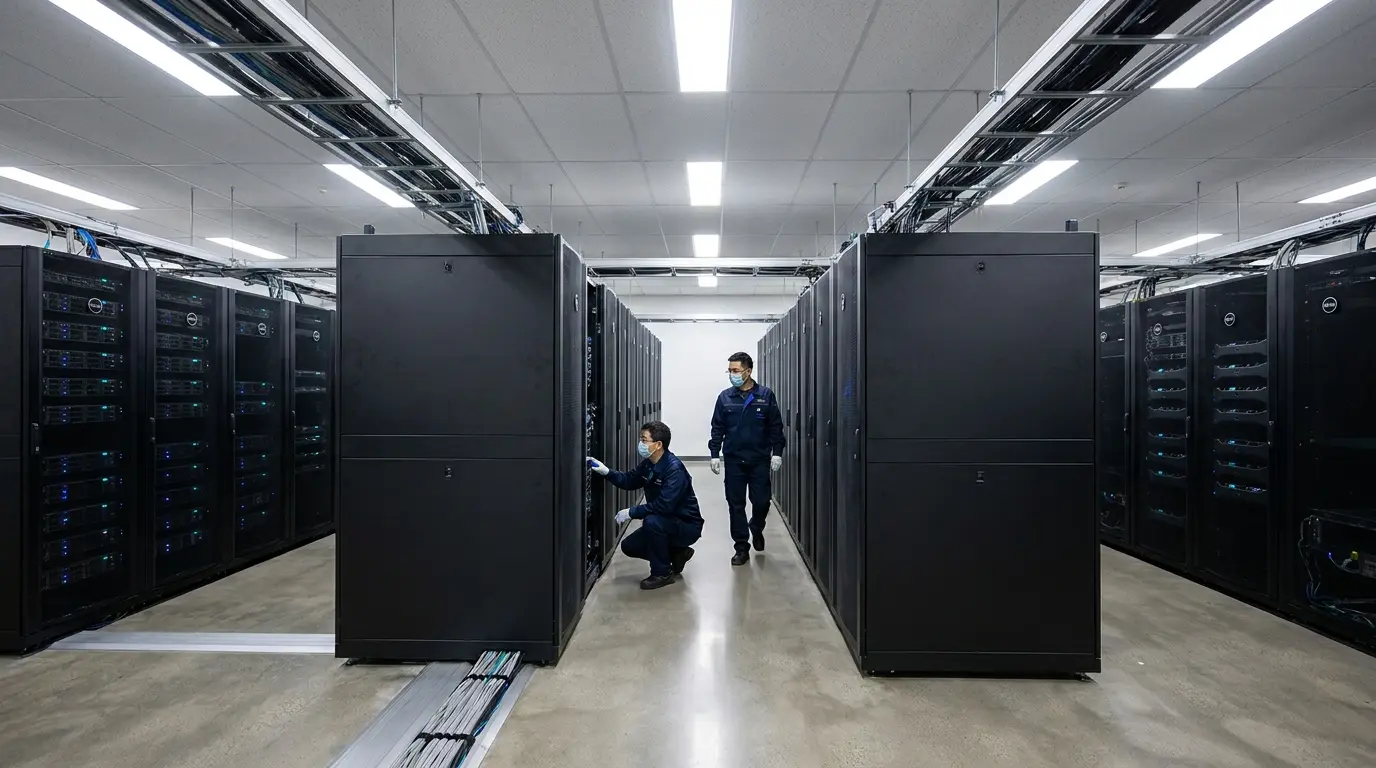
Premium VPS – High Performance, Reliable
Private servers for every business
Customize your VPS to your needs on high-performance Dell Enterprise servers inside a leading Thai datacenter.
Root-Access VPS
Full control — install anything you need
Fast & Secure
Dell Enterprise servers with KVM virtualization
Unlimited Bandwidth
Unlimited data transfer for high traffic
Automated Backup
Automatic backups every 3 days
Certified Datacenter
The Cloud @ CSLoxinfo · ISO 27001, 22301, 20000-1
SSD Storage
High-speed SSD storage
What is a VPS?
VPS stands for Virtual Private Server — a virtualized server created within a computer or network that shares the resources of a single physical server across multiple users, each clearly isolated. It is a great choice for users who want full control and customization of their own environment without paying for an entire dedicated server.
PRICING
Choose the Cloud VPS plan that fits you
All plans: Full Root Access · KVM · 1 Public IPv4 · monthly price (annual billing is cheaper)
Technical Information
General
- Location
- Bangkok, Thailand @ The Cloud CSLoxinfo
- Uptime
- 99.9%
- Virtualization
- KVM
- SSD Storage
- ✓
- Full Root-Access
- ✓
- Public IP
- ✓
- Data Transfer
- Unlimited
Network
- Datacenter
- The Cloud @ CSLoxinfo
- Domestic Bandwidth
- 1 Gbps (shared)
- International Bandwidth
- 200 Mbps (shared) · Fair Use
- Public IP
- IPv4
- Additional IP
- 100 THB per IP
Security & Management
- Datacenter Cert
- ISO 27001, 22301, 20000-1
- Backup
- Automated every 3 days
- Basic DDoS Protection
- ✓
- VNC Console + Panel
- ✓
- Real-time Dashboard
- ✓
Why businesses choose Cloud VPS from Plusweb
Dell Enterprise
High-performance Dell Enterprise servers
Secure Datacenter
The Cloud @ CSLoxinfo, ISO-certified
99.9% Uptime Guarantee
Guaranteed stability throughout
Customer Support
24-hour support team
Root-Access VPS
Full server control
Easy to Manage
Manage your VPS easily via the web
Frequently Asked Questions
How is Cloud VPS different from a regular VPS?
Cloud VPS runs on a cloud system distributed across multiple servers (Cluster), giving it higher stability and security than a regular VPS running on a single standalone server.
When should I use a VPS?
Use a VPS when you need to customize your server and install specific software — web applications, APIs, back-end systems, databases — or when a regular hosting plan is no longer sufficient for your traffic.
How do I connect to my VPS after ordering?
Windows VPS connects via Remote Desktop Connection (RDP) built into Windows. Linux VPS connects via SSH using a Terminal or a tool like PuTTY.
What is the internet speed?
Domestic bandwidth is 1 Gbps (shared) and international is 200 Mbps (shared) under a Fair Use Policy.
Can I upgrade my VPS plan?
Yes, you can upgrade your plan without losing data. Contact the team via email or LINE to upgrade.
GUIDES
Guides & related articles
Read before you decide — get the best value

What Is n8n? Workflow Automation You Can Actually Own
n8n is an automation tool in the same family as Zapier and Make, with one difference that changes everything: you can run it on your own server. This guide covers what it does, the vocabulary you need, and the honest trade-off between the hosted version and self-hosting.
Read more
What Is a VPS? What Can You Do With One, Explained Simply
A complete guide to VPS — what a VPS server is, how it works, how Cloud VPS differs from a regular VPS, what you can do with one, how it compares to shared hosting and dedicated servers, who should use one, and how to get started in 2026.
Read more
Cheap VPS 2026: How to Choose Value Without Getting Scammed
Want a cheap VPS but afraid of getting a poor deal? This article explains why VPS prices vary so much, how "cheap" differs from "good value", the criteria for choosing a cheap VPS that is worth it, and the red flags of cheap VPS providers to avoid before you get scammed.
Read more
Windows VPS vs Linux VPS: What Is the Difference and Which to Choose in 2026
A complete rundown of every difference between a Windows VPS and a Linux VPS — license cost, GUI vs command line, which software runs (MT4/MT5/.NET vs web/apps), remote access via RDP vs SSH, and how to choose the right fit for your work.
Read more
VPS vs Web Hosting: What Is the Difference and Which to Choose in 2026?
A simple breakdown of the difference between web hosting and a VPS — which suits small sites, which suits growing sites — with a comparison table of resources/control/price and the signs it is time to upgrade from hosting to a VPS.
Read more
What Is Cloud Computing? From the Basics to Real-World Use
Everything you need to know about cloud computing — what it is, the types of cloud, the benefits, and how to get started affordably with a Cloud VPS.
Read more