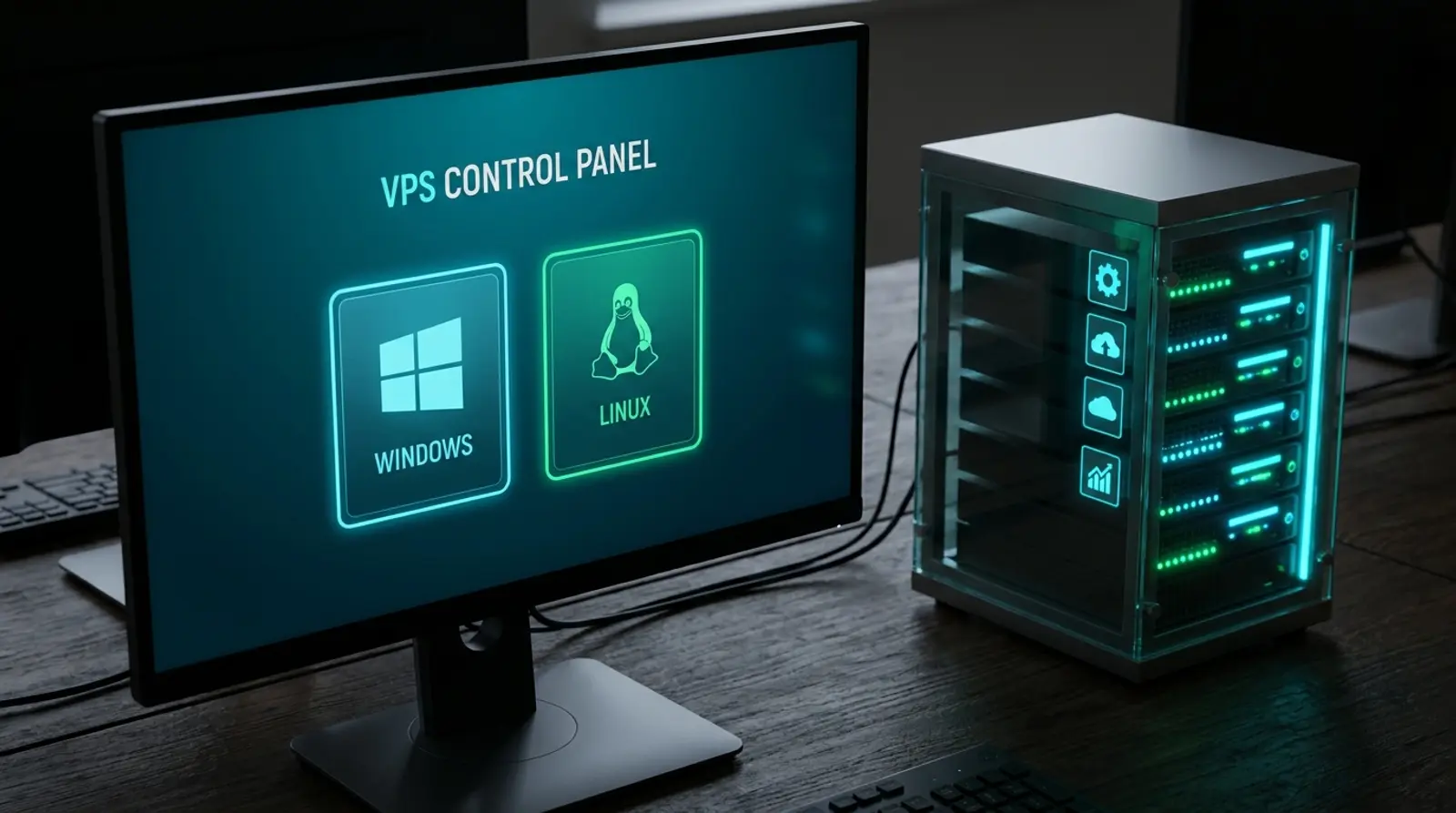
When you are about to rent a VPS, one of the first questions that makes people hesitate is "should I pick Windows or Linux?" because the wrong choice can mean reinstalling from scratch, or being unable to run the program you intended. The truth is that no OS is better across the board, only "more suited to certain jobs."
This article explains which OS a VPS supports, where Windows and Linux differ, and which OS each kind of job should use, with a job-to-OS matching table to make the decision easy. By the end you will choose right from the start, with no wasted time reinstalling later.
Which OS does a VPS support
A VPS is a virtual server on which you can install an operating system just like a real computer. Generally a VPS supports two main families: Linux (such as Ubuntu, Debian, CentOS/AlmaLinux, Rocky Linux) and Windows Server, which cover most of what people rent a VPS to do.
On Plusweb Cloud VPS you can choose both Windows and Linux depending on the job you will run, using KVM technology that gives you a dedicated share of resources and Full Root Access for full control of the machine, so you can install and tune the OS however you like.
How Windows and Linux differ
The main differences are how you use it, the cost, and the software supported. Linux is an open system that is free, lightweight, and very popular for server work, while Windows Server comes with a familiar graphical interface (GUI) that is essential for Windows-family programs.
| Point | Linux | Windows Server |
|---|---|---|
| Usage | Mostly via the command line (SSH) | Has a graphical interface (GUI) via RDP |
| License cost | Free (open source) | Has a Windows license cost |
| Resource usage | Light, uses little RAM/CPU | Uses more resources (has a GUI) |
| Best at | Web, bots, databases, server work | Windows programs, .NET, MT4/MT5, Remote Desktop |
| Connection | SSH | RDP (Remote Desktop) |
| Beginner-friendliness for GUI users | Must learn the command line | Used like a normal Windows screen |
When to choose Linux
Linux is the popular choice for server work because it is light, stable, free, and has a full set of web/data tools. If your job matches these, Linux is the most cost-effective answer.
- Building a web server / hosting a website (Nginx/Apache, WordPress, LEMP/LAMP)
- Running bots, such as a Discord bot, Telegram bot, or Node.js/Python scripts 24/7
- Setting up a database (MySQL/MariaDB, PostgreSQL) or an API
- Using Docker/containers or a CI/CD system
- Web scraping, automation, cron jobs
- Wanting to save on license costs and use resources efficiently
When to choose Windows
Windows Server suits you when you must run a program that works only on Windows, or you want to use a familiar graphical interface, connecting via Remote Desktop (RDP) as if sitting at another computer.
- Running MT4/MT5 trading programs or an EA that must keep the program window open at all times
- Using a program that has only a Windows version or is built on the .NET Framework
- Needing a graphical interface (GUI) to run programs you have to click through
- Using it as a personal Remote Desktop to work from anywhere
- Running business software or specialized apps tied to Windows
Job-to-OS matching table
To choose quickly, look at this table for which OS your job is better suited to, so you can decide right when you provision, with no reinstalling.
| Job to run | Suitable OS | Reason |
|---|---|---|
| Website / WordPress / web server | Linux | Light, fast, full set of web tools |
| Database / API | Linux | Stable, uses few resources |
| Discord/Telegram bot, Python/Node scripts | Linux | Runs 24/7, cost-effective |
| MT4/MT5 + EA (Forex trading) | Windows | Trading programs need a Windows-style GUI |
| .NET programs / specialized Windows apps | Windows | Supported only on Windows |
| Personal Remote Desktop | Windows | Used via RDP like a real computer screen |
| Docker / containers / CI-CD | Linux | Well supported and standard |
How to connect to a VPS (SSH and RDP)
How you access a VPS differs by OS, but both can be done from your home computer right away. After provisioning, the system sends you the IP and login details.
Linux connects over SSH by typing commands from a Terminal (macOS/Linux) or using a program like PuTTY/Windows Terminal on Windows, then working via the command line. Windows Server connects over RDP (Remote Desktop), which gives you a graphical interface as if sitting at another computer, so you can click through programs directly.
Summary: match the OS to the job from the start
No OS is better across the board — matching it to the job is the best answer. For web, bots, databases, and general server work, choose Linux for a lighter, better-value setup, while for jobs that must run Windows programs like MT4/MT5, .NET, or where you want a graphical interface, choose Windows.
The advantage of Plusweb Cloud VPS is that you can choose both Windows and Linux to match your job, with Full Root Access, KVM, SSD, 99.9% uptime, and low-latency Thai servers, provisioned automatically within minutes. Whichever OS your job suits, you can start right away.
Plusweb Cloud VPS: choose both Windows and Linux, from ฿150/month
Full Root Access · KVM · SSD · 99.9% uptime · Multi-OS, choose both Windows and Linux · SSH/RDP · Low-latency Thai servers · Auto-provisioned within minutes
Frequently Asked Questions
Which OS does a VPS support?
A typical VPS supports two main families: Linux (Ubuntu, Debian, CentOS/AlmaLinux, Rocky Linux) and Windows Server. On Plusweb Cloud VPS you can choose both Windows and Linux depending on the job, with Full Root Access for full control of the machine.
Should a VPS use Windows or Linux?
It depends on the job — for websites, bots, databases, and general server work, choose Linux for a lighter, better-value setup, while for jobs that must run Windows-only programs like MT4/MT5 or .NET, or where you want a graphical interface, choose Windows. No OS is better across the board.
Which VPS OS do I need to run MT4/MT5 or an EA?
You should use Windows, because MT4/MT5 trading programs and EAs must keep a GUI program window open at all times. For this specifically, Plusweb has a Forex VPS from ฿250/month tuned for running an EA/MT4/MT5.
How does connecting to a Windows VPS differ from a Linux one?
Linux connects over SSH, working via the command line, while Windows Server connects over RDP (Remote Desktop), which gives you a graphical interface as if sitting at another computer, so you can click through programs. Both can be done from your home computer right away after provisioning.
If I pick the wrong OS, can I change it later?
Yes. A VPS can reinstall a new OS, but the data on the existing machine will be lost, so choose the OS to match the job from the start and always back up first. If you are unsure which OS your job suits, use the job-to-OS matching table in this article.
GUIDES
Related articles
Keep reading on similar topics

What Is a VPS? What Can You Do With One, Explained Simply
A complete guide to VPS — what a VPS server is, how it works, how Cloud VPS differs from a regular VPS, what you can do with one, how it compares to shared hosting and dedicated servers, who should use one, and how to get started in 2026.
Read more
Windows VPS vs Linux VPS: What Is the Difference and Which to Choose in 2026
A complete rundown of every difference between a Windows VPS and a Linux VPS — license cost, GUI vs command line, which software runs (MT4/MT5/.NET vs web/apps), remote access via RDP vs SSH, and how to choose the right fit for your work.
Read more
Cheap VPS 2026: How to Choose Value Without Getting Scammed
Want a cheap VPS but afraid of getting a poor deal? This article explains why VPS prices vary so much, how "cheap" differs from "good value", the criteria for choosing a cheap VPS that is worth it, and the red flags of cheap VPS providers to avoid before you get scammed.
Read more