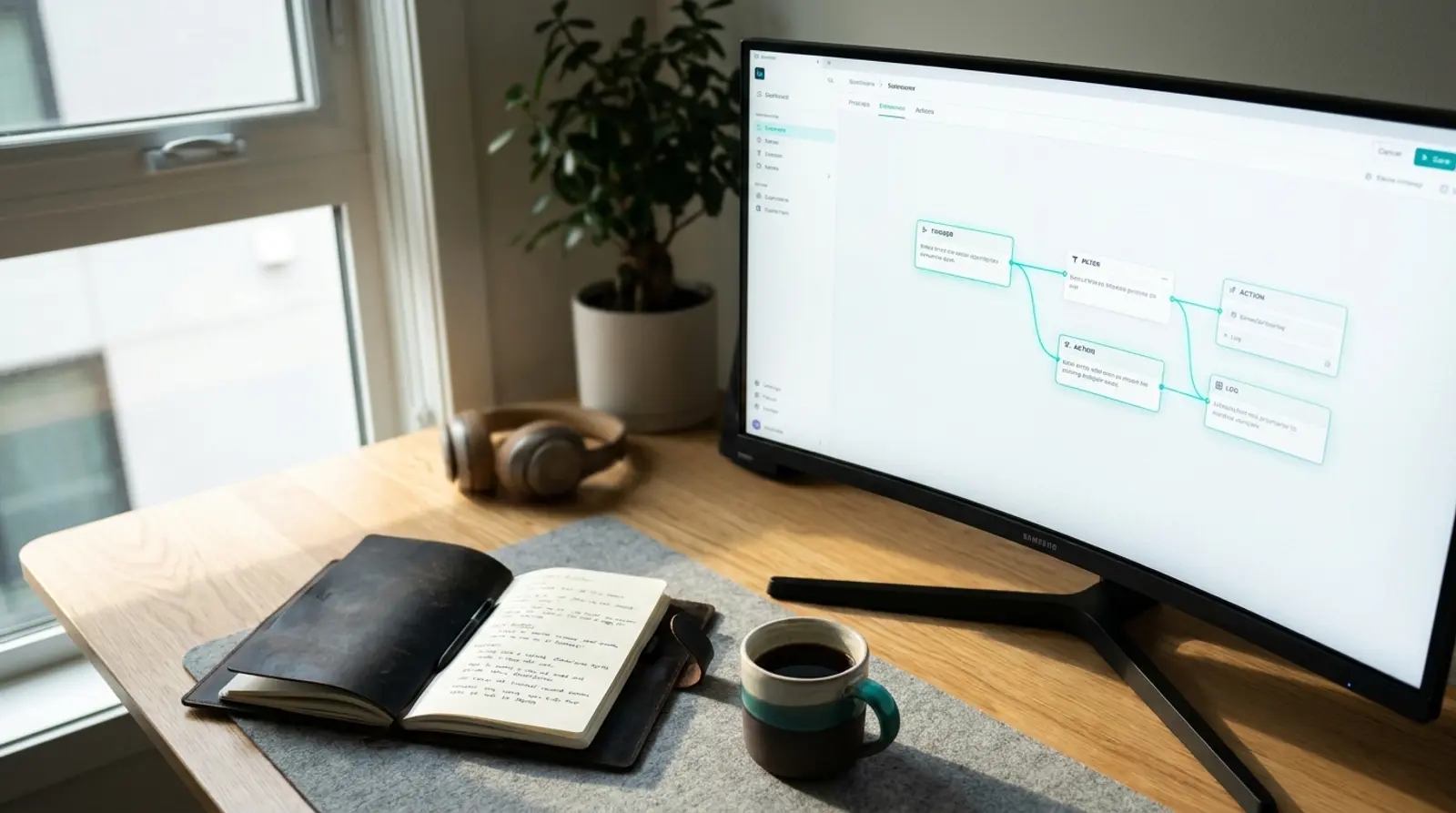
n8n is a workflow automation tool: you connect apps together on a visual canvas so that something happening in one place automatically causes something to happen somewhere else. A new form submission creates a task, adds a row to a sheet, and posts a message to your team — without anyone copying and pasting.
That description also fits Zapier and Make. What separates n8n is that you can run it yourself, on your own server, with your own data. This guide covers what it does, the handful of terms you need before starting, and the genuine trade-off between paying for the hosted version and running it yourself.
What n8n Is
n8n is an open-source automation platform built around a visual editor. You drag nodes onto a canvas, connect them with lines, and each node performs one step: fetch data, transform it, make a decision, send it somewhere. The line between nodes is the path your data takes.
It sits between two worlds. Simpler tools like Zapier are easier to start with but rigid once your logic gets complicated. Writing your own scripts is unlimited but you have to build and maintain everything. n8n gives you the visual convenience while letting you drop into JavaScript inside any node when the visual approach runs out — which, in practice, is what makes it stick.
It also ships with hundreds of prebuilt integrations, plus a generic HTTP node that can talk to any API that exists. If an integration is missing, you are not blocked.
What People Actually Automate With It
- Lead handling — a form submission lands, gets enriched, goes into the CRM, and pings the sales channel, all within seconds.
- Reporting — pull yesterday's numbers from several systems every morning, assemble them, and post a summary before anyone arrives.
- Content pipelines — publish once and distribute automatically to social platforms, a newsletter and an internal archive.
- Data synchronisation — keep a spreadsheet, a database and a SaaS tool in agreement without anyone re-typing anything.
- Monitoring and alerts — check a service on a schedule and notify a human only when something is genuinely wrong.
- AI workflows — send text to a model, do something with the answer, and route it onward. This has become one of the most common uses and is a large part of why n8n grew so quickly.
- Internal tooling — a webhook endpoint that does five things in sequence, replacing a small internal app nobody wants to maintain.
The Vocabulary You Need First
n8n's documentation assumes a handful of terms. Knowing them removes most of the initial confusion.
| Term | What it means | Example |
|---|---|---|
| Workflow | One complete automation, from trigger to final action | "When a form is submitted, notify the team" |
| Node | A single step inside a workflow | Send an email; read a spreadsheet; call an API |
| Trigger | The node that starts everything | A schedule, a webhook, a new row appearing |
| Execution | One run of a workflow | Today at 09:00 it ran and processed 14 items |
| Credential | Stored authentication for a service | The API key for your email provider |
| Webhook | A URL that other systems call to trigger a workflow | Your payment provider notifies you of a new order |
| Expression | A small piece of code that pulls data from earlier nodes | Insert the email address captured by the form |
n8n Compared With Zapier and Make
All three do the same fundamental job, and the differences that matter show up once your workflows stop being trivial.
Zapier is the easiest to begin with and has the widest catalogue of integrations, but it charges per task executed, which becomes expensive at volume, and complex branching logic is awkward. Make is more flexible visually and cheaper per operation, but it is still a hosted service with the same fundamental constraint: your data passes through someone else's system and your costs scale with usage.
n8n's distinguishing feature is that self-hosting is a first-class option. Run it on your own server and there is no per-task charge at all — the cost is the server, whether you run a hundred executions a month or a hundred thousand. That single fact reverses the economics for anyone doing high-volume automation.
The other difference is where your data goes. If your workflows touch customer records, financial data or anything under a data-residency rule, self-hosted n8n keeps all of it on infrastructure you control. For some organisations that is not a preference, it is a requirement.
n8n Cloud or Self-Hosted?
This is the real decision, and both answers are legitimate depending on what you are optimising for.
n8n Cloud is the right choice when you want to start today, do not want to think about updates or backups, and your volume is modest. You pay a subscription and someone else keeps it running. For a small team automating a handful of processes, the monthly fee is often cheaper than the hours you would spend maintaining a server.
Self-hosting wins on three fronts: cost at volume, data control, and the absence of execution limits. A VPS at a fixed monthly price runs as many executions as its CPU can handle. If your workflows are high frequency — polling every minute, processing every order, handling every webhook — the hosted pricing model works against you and the fixed-cost model works for you.
The trade-off is honest: self-hosting means you own the updates, the backups and the uptime. That is real work, though less than people expect for a single container on a small server.
Why Self-Hosting Needs a Server That Never Sleeps
People often try n8n on their own laptop first, and it works — until they close the lid. That is not a small inconvenience, it is the whole problem.
Automation is only useful if it runs when you are not watching. A workflow that fires at 3am, a webhook that arrives while you are asleep, a scheduled report due before you wake up — none of these happen on a machine that is off. A laptop also changes IP address, sleeps, updates and reboots, and every one of those breaks a webhook endpoint that an external service is trying to reach.
This is why self-hosted n8n effectively requires a server that stays online continuously, with a fixed IP address and a domain name so external services can reach your webhooks reliably. A small VPS handles this comfortably: n8n itself is not demanding, and 1 to 2 GB of RAM runs a typical workload without strain.
The economics are also simple. A VPS at a fixed monthly price with unlimited executions replaces a per-task subscription that grows with your usage — and the same server can run other things alongside n8n, which the subscription cannot.
How to Get Started
- Try n8n Cloud's free tier first to learn the interface. There is no reason to fight a server installation before you know whether the tool suits you.
- Build one small workflow end to end — a form submission that sends a notification is enough. Getting one thing working teaches you more than reading the documentation.
- Once you have three or four workflows you rely on, look at your execution count. That number tells you whether self-hosting is worth the effort yet.
- When you do self-host, use Docker on a VPS. It is the supported path, it keeps upgrades simple, and it isolates n8n from everything else on the machine.
- Put it behind a domain with HTTPS from the start. Webhooks from external services need a stable, secure public URL, and retrofitting that later is more annoying than doing it first.
- Turn on backups of the n8n data volume. Your workflows and credentials live there, and rebuilding them by hand is a bad afternoon.
Ready to self-host n8n and stop paying per task?
Cloud VPS from ฿150/month — always on, fixed IP, full root access. Unlimited executions for a fixed monthly price.
Frequently Asked Questions
Is n8n free?
The self-hosted community edition is free to use under a fair-code licence, and you pay only for the server it runs on. n8n Cloud is a paid subscription. There are some restrictions in the licence around reselling n8n as a service, which do not affect normal business use.
How much server does self-hosted n8n need?
Less than most people expect. A VPS with 1 to 2 GB of RAM handles a typical workload of small to medium workflows. Heavy use — many concurrent executions, or workflows that process large files — benefits from more memory, but you can start small and upgrade when the executions actually demand it.
Do I need to know how to code?
No, for the majority of workflows. The visual editor covers a lot of ground. Basic JavaScript becomes useful once you need to reshape data between nodes, and that is exactly where n8n outruns simpler tools — but you can go a long way before you reach that point.
Can I move from n8n Cloud to self-hosted later?
Yes. Workflows export as JSON and import into any instance, so migrating is largely a matter of moving files and re-entering credentials. Credentials do not export for security reasons, so budget a little time to set those up again.
What happens if my server goes down?
Workflows do not run and webhooks arriving during the outage are lost, since there is nothing listening to receive them. This is the real cost of self-hosting and the argument for a provider with a genuine uptime guarantee rather than the cheapest server available.
GUIDES
Related articles
Keep reading on similar topics

Run Bots and Automation Scripts 24/7 on a VPS
Got a Python/Node script, a Telegram bot, a web scraper, or an automation task you want running all the time? This guide explains why a VPS beats a home PC, how to use pm2 and cron to keep bots/scripts running continuously, and the spec you need.
Read more
What Is a VPS? What Can You Do With One, Explained Simply
A complete guide to VPS — what a VPS server is, how it works, how Cloud VPS differs from a regular VPS, what you can do with one, how it compares to shared hosting and dedicated servers, who should use one, and how to get started in 2026.
Read more
Windows or Linux VPS: Which OS Should You Choose for Your Job
About to rent a VPS but unsure whether to pick Windows or Linux? This guide explains which OS a VPS supports, how the two differ, and which job should use which OS, with a job-to-OS matching table so you choose right from the start.
Read more