
Search for "the best Forex VPS" and you'll find dozens of providers, priced from free to hundreds of dollars a month, each claiming to be the fastest, most stable, and cheapest — until you can't tell where you should actually get a Forex VPS.
This article doesn't vaguely cheer for one brand. Instead it teaches the "decision criteria" that apply to every provider in 2026 — what to look at, which traps knock your EA offline at the worst moment, and finally why Plusweb's Forex VPS is the value pick for most traders.
What to look for in a Forex VPS (8 decision criteria for 2026)
Before you answer "which Forex VPS is best," you need to know what makes a VPS genuinely "tradeable" — not just cheap. A cheap VPS that drops often ends up more expensive because of the trades you miss.
- Uptime — does the provider state a clear number? It should be 99.9% or higher, because an EA dropping for even a minute costs opportunity
- Data center location + standards — where is it, does it have backup power (UPS/generator), backup internet, and standards like ISO 27001?
- Latency to your broker — the closer the server sits to your broker's server, the faster orders fill, reducing slippage
- Windows Server support — because most MT4/MT5 setups run on Windows, and it should grant full access
- Real specs as advertised, no overselling — the CPU/RAM you get must match the ad and not be shared until it lags
- A backup system — so you can restore your EA and settings if the machine has a problem
- A support team — reachable, responsive, especially during volatile markets
- Value for money — not the cheapest, but the specs/stability that fit what you pay
Where to get a Forex VPS — a checklist table before you decide
Use this table to compare every provider you're considering. If one can't tick all the "what you should get" boxes, or shows any "red flag" signs, consider skipping it.
| Topic | What you should get (choose this) | Red flag (avoid) |
|---|---|---|
| Uptime / SLA | States 99.9%+ with a clear SLA | No number, no SLA |
| Data center | States location, backup power/internet, clear standards | Won't say where the machine is |
| Latency | Server near your broker, testable/stated | Claims "fastest" but gives no data |
| Operating system | Windows Server + full access | Only a shared machine, no configuration |
| Specs | CPU/RAM clearly stated, as advertised | Vague specs, oversold |
| Price | Good value, transparent, no hidden fees | Free/suspiciously cheap, time-limited |
| Support + backup | Genuinely reachable, has backups | No contact channel, no backup |
How much spec is enough? (match it to your usage)
Another reason people choose wrong is buying specs that are too powerful or too weak. In reality you choose based on how many MT4/MT5 windows you run at once — each MT window uses about 300–500 MB of RAM.
| Usage | Enough specs | Best for |
|---|---|---|
| Run 1 MT4/MT5 + light EA | 1 vCPU / 3 GB RAM | Beginners starting with 1 account |
| Run 1–3 accounts + indicators | 2 vCPU / 4 GB RAM | Typical traders (most popular) |
| Run 1–6 accounts / multiple EAs | 4 vCPU / 8 GB RAM | Multiple brokers |
| Run 6–10+ accounts | 8 vCPU / 16 GB RAM | Professionals / EA hosting services |
Traps that lead to the wrong choice — red flags to avoid
There's nothing wrong with "a cheap Forex VPS," but "suspiciously cheap" usually carries hidden costs you pay for with missed trades. These are the red flags most common in 2026.
- "Free" Forex VPS — usually comes with conditions such as a minimum broker deposit, a time limit, or shared resources until it lags; the moment you stop qualifying, the service is cut and your EA drops instantly
- Oversold specs — selling one machine to more users than it can handle, so it lags and orders slow down during volatile markets
- No SLA / no stated uptime — when the machine goes down there's no guarantee or compensation
- Won't disclose the data center location — risk of a machine with no real backup power/internet
- A tempting promo price with hidden fees — setup fees, higher renewal prices later, or extra charges when you ask for the real specs
- No support channel — a problem hits while the market is running and you can't reach anyone
Recommended Forex VPS 2026 — why Plusweb is worth it
Run all 8 criteria and the checklist above against it, and Plusweb's Forex VPS is built specifically for traders running an EA on MT4/MT5, at a genuinely accessible price.
- Great value from ฿250/mo — pay for what you use, no hidden fees
- Built specifically for MT4/MT5 and running an EA 24/7
- Windows Server support with full control so you can configure it yourself
- Low latency — a standards-based regional data center, ideal for Asian/regional brokers
- 99.9% uptime — your EA runs continuously, no fear of power cuts or dropped internet
- Real specs as advertised, no overselling — the CPU/RAM you get matches the plan
- Auto-provisioned in minutes, with a support team
Summary: which Forex VPS is best in 2026
The answer to "which Forex VPS is best" isn't about the brand — it's whether that provider passes the key criteria: high uptime, low latency, real specs, a clear data center location and support, at a good price.
- Don't judge on cheap price alone — weigh stability and real specs too
- Avoid free/suspiciously cheap VPS with no SLA and no stated machine location
- Match the specs to the number of accounts you run — no need to over-spec
- If you trade Asian/regional brokers, a regional server is more stable with lower latency
Choose right — a Forex VPS that passes every criterion, from Plusweb
Forex VPS built for MT4/MT5 · Windows Server · low latency · regional data center · 99.9% uptime · from ฿250/mo, auto-provisioned in minutes
Frequently Asked Questions
Which Forex VPS is the best?
None is "the best" for everyone — it depends on which broker you trade, how many accounts you run, and your budget. The right way to choose is to compare everyone by the same criteria — uptime, latency, data center location, real specs, support, and value — then pick the one that passes the most at a price you can accept.
Can a cheap Forex VPS actually work?
Yes, if you pick the right provider. "Cheap" isn't wrong, but check whether it still clearly states uptime, machine location, and real specs. If it's suspiciously cheap and can't answer those, the hidden cost is usually missed trades. For running 1 account, a Forex VPS starting at a few dollars a month is plenty.
Should I use a free Forex VPS?
Be cautious. Free Forex VPS usually comes with conditions such as a minimum broker deposit, a time limit, or resources shared until it lags, and it can be cut suddenly when you stop qualifying — leaving your EA offline at the worst moment. If you trade seriously, an inexpensive paid VPS is more worthwhile and safer.
Trading an Asian/regional broker — where should I get a Forex VPS?
Choose a server located near your broker for the lowest, most stable latency and reduced slippage on order execution. Plusweb's Forex VPS uses a standards-based regional data center, so it suits traders using Asian and regional brokers.
After I order a Forex VPS, can I use it right away?
It depends on the provider — some take time to set up manually, but many, including Plusweb, auto-provision within minutes of payment. You receive an IP and login to remote into Windows Server via RDP, then install MT4/MT5 and run your EA.
GUIDES
Related articles
Keep reading on similar topics

What Is a Forex VPS? Why Every EA Trader Should Have One
Everything a trader needs to know about a Forex VPS — what it is, how it differs from a regular VPS, whether it can really run an EA on MT4/MT5 24/7, plus how to choose one that is worth it and avoid getting burned.
Read more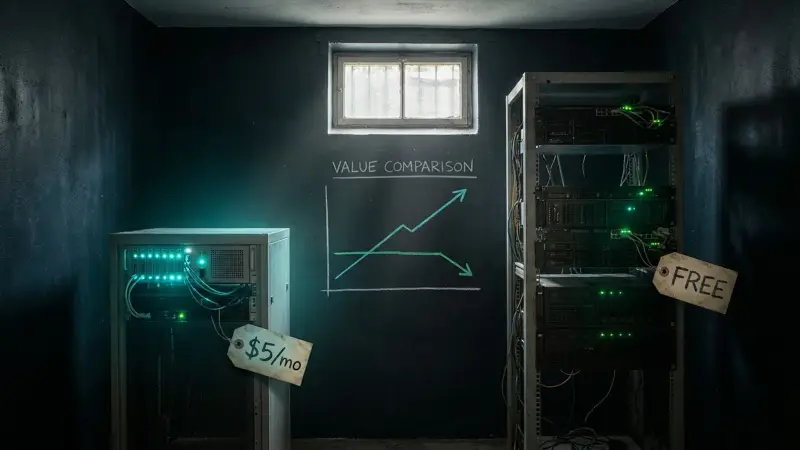
Cheap Forex VPS vs Free — Which Is Worth It in 2026
A free VPS to run an EA sounds great, but what do you trade for it? Compare a free Forex VPS, a cheap paid VPS from a few dollars a month, and a broker-bundled VPS, with a table comparing price, uptime, and risk so you choose the best value in 2026.
Read more
How to Run an EA on a Forex VPS (MT4/MT5): Beginner Guide 2026
A step-by-step guide for beginners who want to run an EA on a VPS — what to prepare, how to remote into a Windows VPS via RDP, install MT4/MT5, add the EA file, enable AutoTrading, and confirm it runs 24/7, plus fixes for common problems.
Read more