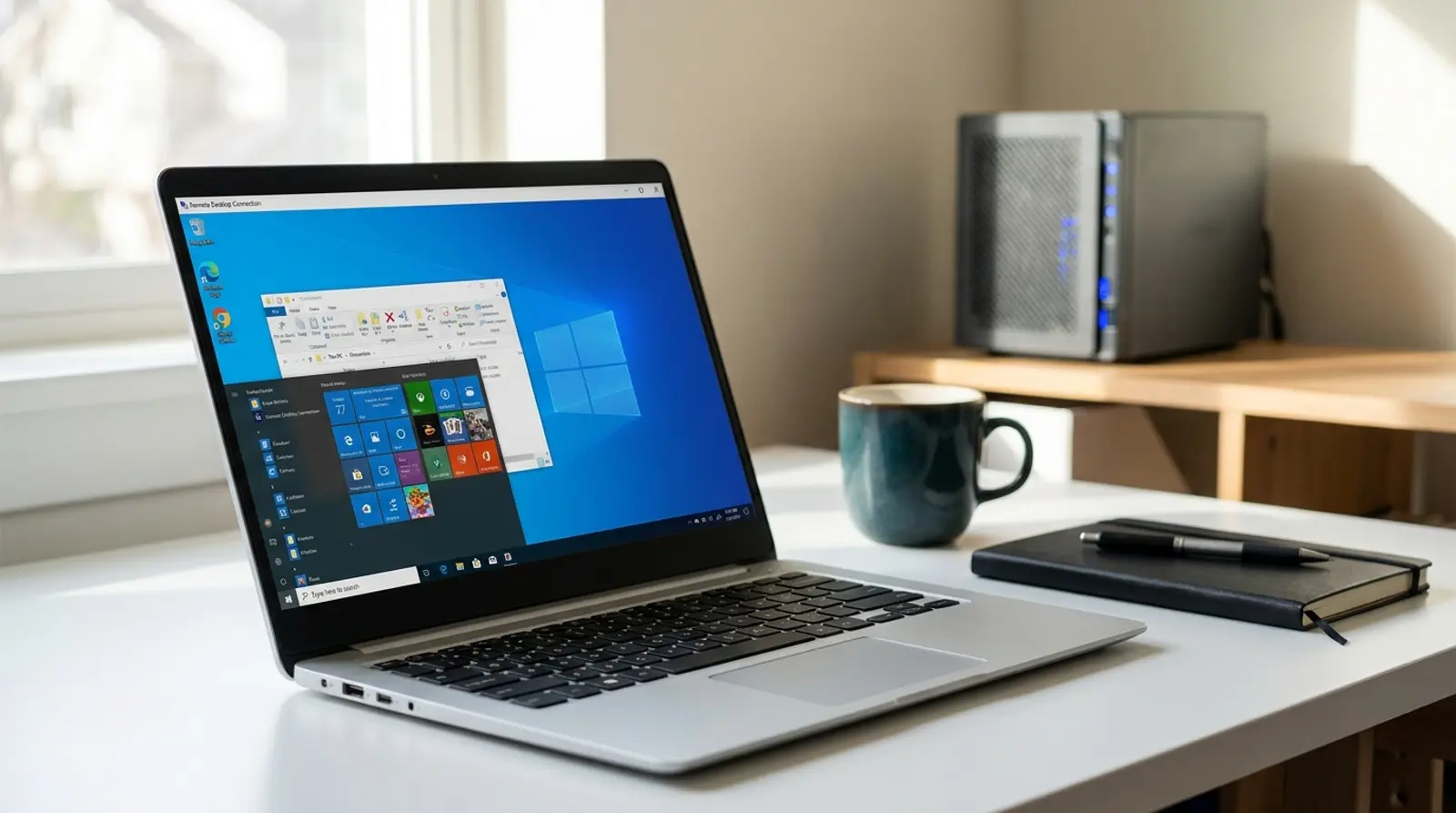
RDP — Remote Desktop Protocol — is Microsoft's way of letting you use a Windows machine from somewhere else. You get the actual desktop: mouse, keyboard, windows, installed applications, exactly as if you were sitting in front of it.
What makes it interesting technically is that it does not stream video. Instead of sending pictures of the screen, the server sends instructions describing what to draw — this window here, this text there — and your local client renders them. That is why RDP stays usable on connections that would make a video stream unwatchable, and it is also why the thing that ruins the experience is latency rather than bandwidth.
RDP compared with VNC and SSH
These three get grouped together as "remote access", but they solve different problems and it is worth knowing which one you actually need.
| RDP | VNC | SSH | |
|---|---|---|---|
| What you get | Full Windows desktop | Mirror of the screen | Command line |
| How it works | Drawing instructions | Screen images | Text stream |
| Bandwidth needed | Low | High | Almost none |
| Multiple users | Yes, on Server editions | Usually one session | Yes |
| Best for | Windows apps with a GUI | Watching a physical screen | Linux administration |
What RDP is actually used for
- Running Windows software that has to stay online — trading terminals, automation tools, scrapers, bots. The machine keeps working when your laptop is closed.
- Administering a Windows Server without physical access. This is the original purpose and still the most common one.
- Giving a team a shared Windows environment. Server editions support several simultaneous sessions, each with its own desktop.
- Working from a fixed IP address. The server's address is what services see, which matters for tools that expect a stable location.
- Testing software on a clean Windows install without touching your own machine.
- Reaching a work computer from home, though this should be done through a VPN rather than by exposing RDP to the internet.
Latency is what decides whether it feels good
People assume they need more bandwidth for a smoother remote desktop. Usually they do not — RDP is frugal with bandwidth by design. What they need is a shorter round trip.
Every keystroke has to reach the server and the resulting screen change has to come back. That round trip is the delay you feel between typing and seeing the letter appear, and no amount of extra bandwidth shortens it.
| Round-trip latency | How it feels |
|---|---|
| Under 30 ms | Indistinguishable from a local machine |
| 30–80 ms | Comfortable for normal work |
| 80–150 ms | Noticeable lag while typing, still workable |
| Over 150 ms | Tiring — every action feels delayed |
Security: port 3389 is scanned constantly
RDP exposed directly to the internet is one of the most attacked services there is. Automated scanners sweep the entire address space for port 3389 continuously, and a new server will start receiving login attempts within hours of coming online.
The single most effective change is not to expose it at all. Put RDP behind a VPN, and the port is invisible to everyone who is not already authenticated. This is the recommendation that removes the whole problem rather than mitigating it.
If it must be reachable, restrict by IP address. Allowing only the addresses you actually connect from turns a global attack surface into a local one, and most firewall panels make this a two-minute change.
Change the port if nothing else is possible. It stops the untargeted scanners that only check 3389 — it does not stop anyone actually looking at your server, so treat it as noise reduction rather than security.
Use a long password and never a common username. "Administrator" plus a weak password is precisely what the automated attempts are testing, and it succeeds often enough to be worth their time.
Enable Network Level Authentication and account lockout. NLA requires authentication before a session is created, and lockout makes brute-force attempts impractical rather than merely slow.
Getting a usable RDP setup
- Pick a location close to where you will connect from. Latency is the dominant factor in how it feels, and it is decided entirely by geography.
- Give it enough RAM. Windows itself wants a few gigabytes before your applications get any, and a desktop that swaps feels far worse than one that is merely modest.
- Prefer NVMe storage. Desktop workloads are full of small random reads, and this is where slow disks become obvious.
- Check the licensing. A Windows VPS should include the licence; running Windows Server without one is not a corner worth cutting.
- Set up the firewall before the first login, not after. The scanning starts immediately, and the gap between "server created" and "server secured" is exactly when incidents happen.
- Turn off visual effects inside Windows. Animations and shadows cost round trips for no benefit, and disabling them makes a remote session noticeably crisper.
Need a Windows desktop that stays online?
Windows VPS with NVMe storage, full administrator access and low latency across Southeast Asia. From ฿150/month.
Frequently Asked Questions
How much bandwidth does RDP need?
Very little — ordinary office work runs comfortably in the low hundreds of kilobits per second, because the protocol sends drawing instructions rather than video. Video playback or animation inside the session is the exception and will use far more. If your session feels sluggish, latency is almost always the cause, not bandwidth.
Can several people use one RDP server at the same time?
On Windows Server editions, yes — multiple simultaneous sessions are supported, each with its own desktop, subject to licensing. Desktop editions of Windows allow only one interactive session, so a second person connecting disconnects the first.
Is RDP safe to expose to the internet?
Not directly. Port 3389 is scanned continuously and weak credentials are found quickly — this is one of the most common ways small Windows servers get compromised. Put it behind a VPN, or restrict access to specific IP addresses, and enable Network Level Authentication and account lockout.
Do I need RDP for a Linux server?
No. Use SSH — it is lighter, faster and standard for Linux administration, and everything you need can be done from the command line. A graphical desktop on a Linux server consumes resources for something you almost certainly do not need.
GUIDES
Related articles
Keep reading on similar topics

What Is a DDoS Attack — How It Works and How to Survive One
A DDoS attack is not one thing. Three very different attack types share the name, they fail your site in different ways, and the defence that stops one does nothing against another.
Read more
503 Service Unavailable — Deliberate or Overloaded?
A 503 is the only 5xx that is often completely intentional. The server is up and healthy and has decided not to serve you right now. Telling a planned maintenance page from a server buckling under load is the first thing to establish, and this guide shows you how.
Read more
My Website Is Down — A Step-by-Step Checklist
When a site goes down the instinct is to start changing things, which usually makes the diagnosis harder. This checklist runs in order: confirm it is actually down, read what the screen is telling you, check the four things that break most often, then look at what changed.
Read more